StyleGaussian: Apply Artistic Styles to 3D Gaussian Splatting Scenes
Learn how StyleGaussian transforms photorealistic 3D Gaussian Splatting scenes into stylized artistic environments for games, film previs, animation, and creative workflows.
Gaussian Splatting produces photorealistic 3D scenes—but sometimes realism isn't the goal.
Game developers need stylized assets that match their art direction. Filmmakers want concept validation before committing to production.
StyleGaussian bridges this gap by applying artistic styles to 3D Gaussian Splatting scenes, transforming realistic captures into stylized 3D assets in minutes.
What Is StyleGaussian?
StyleGaussian is a technique that transfers artistic style from either a reference image or a text description onto a 3D Gaussian Splatting scene.
The algorithm learns visual characteristics such as:
- Color palettes
- Texture patterns
- Brush strokes
- Lighting mood
- Artistic atmosphere
These stylistic features are then applied consistently across the entire 3D reconstruction.
Image-Based Style Transfer
You can provide a reference image—such as:
- A painting
- Concept art
- An illustration
- A cinematic frame
The algorithm extracts stylistic elements from the image and transforms the 3DGS scene accordingly.
Text-Based Style Transfer
You can also describe the style you want using natural language prompts, for example:
- "Watercolor landscape"
- "Cyberpunk city"
- "Cartoon forest"
- "Anime-inspired environment"
The system generates a stylized 3D output based on the text description.
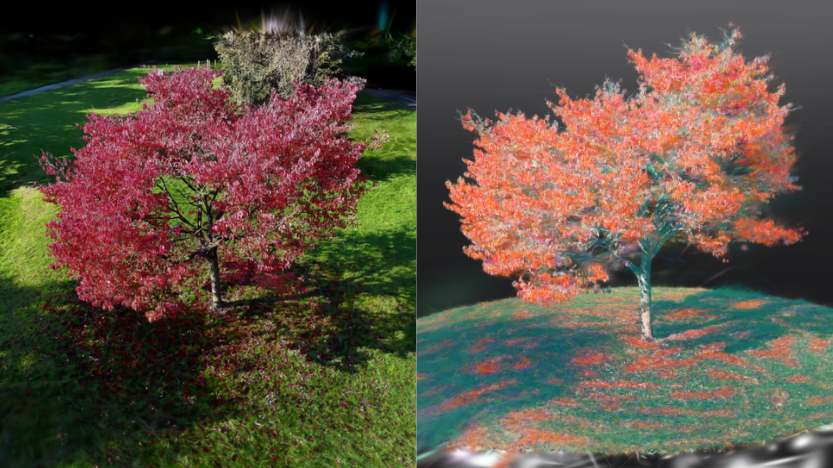
The final result is a fully stylized 3D scene that:
- Maintains spatial coherence
- Preserves multi-view consistency
- Can be explored interactively from any angle
- Adopts a unified artistic aesthetic
Use Case: Game Asset Creation
Creating stylized 3D assets for games traditionally requires extensive manual work.
Artists often spend hours on:
- Modeling
- Texturing
- Shading
- Material adjustments
- Art direction consistency
StyleGaussian simplifies this workflow by applying stylized aesthetics directly onto scanned real-world environments.
Example Workflows
- Scan a real forest and apply a cartoon or low-poly style to generate game-ready environments
- Capture a city street and transform it into a cyberpunk backdrop for urban game levels
- Photograph props and objects, then apply consistent texture stylization across all assets
This workflow is especially useful for:
- Indie game developers
- Small studios
- Prototype environments
- Rapid art direction exploration
Instead of building everything from scratch, creators can scan reality and stylize it into cohesive game assets.
This can save weeks of production time while maintaining artistic consistency across scenes.
Use Case: Film and Animation Pre-visualization
Pre-visualization helps filmmakers test ideas before committing to expensive production work.
Traditional previs workflows often fall into two extremes:
- Rough sketches with limited spatial understanding
- Fully rendered 3D scenes that require significant resources
StyleGaussian provides a middle ground.
Creators can:
- Quickly scan a real location
- Apply a target artistic style
- Explore an interactive stylized environment
This allows directors and artists to:
- Test camera angles
- Evaluate atmosphere
- Explore scene composition
- Validate creative direction early
Example Workflows
- Scan a building and apply a noir-film aesthetic with dramatic shadows and muted colors
- Capture a landscape and stylize it with a watercolor animation look inspired by Studio Ghibli
- Photograph a location and apply a concept artist's style reference for collaborative previs reviews
This workflow accelerates communication between:
- Directors
- Concept artists
- Animators
- Production teams
It also reduces the risk of visual misalignment later in production.
See StyleGaussian in Action
StyleGaussian is still an experimental technique, but the results are already highly promising.
The Aholo 3D community includes a curated collection of stylized 3DGS scenes featuring:
- Post-impressionist interiors
- Watercolor landscapes
- Cyberpunk environments
- Stylized ornaments
- Painterly architectural spaces
You can explore the collection here:
https://www.aholo3d.com/3dgs-model/collection/gallery
These examples are inspired by open-source research projects including:
These projects explore methods for applying style transfer to 3D Gaussian Splatting scenes while preserving:
- Spatial structure
- Multi-view consistency
- Interactive exploration quality
Each example demonstrates how realistic 3D captures can be transformed into cohesive artistic environments using either:
- Reference images
- Text prompts
Because the scenes remain interactive, viewers can:
- Rotate around stylized objects
- Walk through environments
- Observe style consistency from every viewing angle
Whether you're a game developer searching for visual inspiration or a filmmaker experimenting with previs workflows, StyleGaussian demonstrates how stylized 3DGS can accelerate creative production.