Use Aholo 3D Studio Through Aholo AI Skill
Achieve 3DGS object and space reconstruction and AI 3D space generation through dialogue with AI Client.
2026.7.24
What Can Aholo Skill Do?
Integrated with the capabilities of the Aholo 3D Spatial Creation Platform:
- Object 3DGS Reconstruction
- Space 3DGS Reconstruction
- AI-Powered 3D Space Generation
Why Choose Aholo Skill?
- Multi-task concurrency — submit multiple object/space reconstruction or AI space generation tasks simultaneously
- Background execution — no need to manually monitor file uploads or reconstruction progress
- Workflow integration — connect with other AI Skills and build custom spatial intelligence workflows
How to Get an Aholo API Key?
Required for future API calls
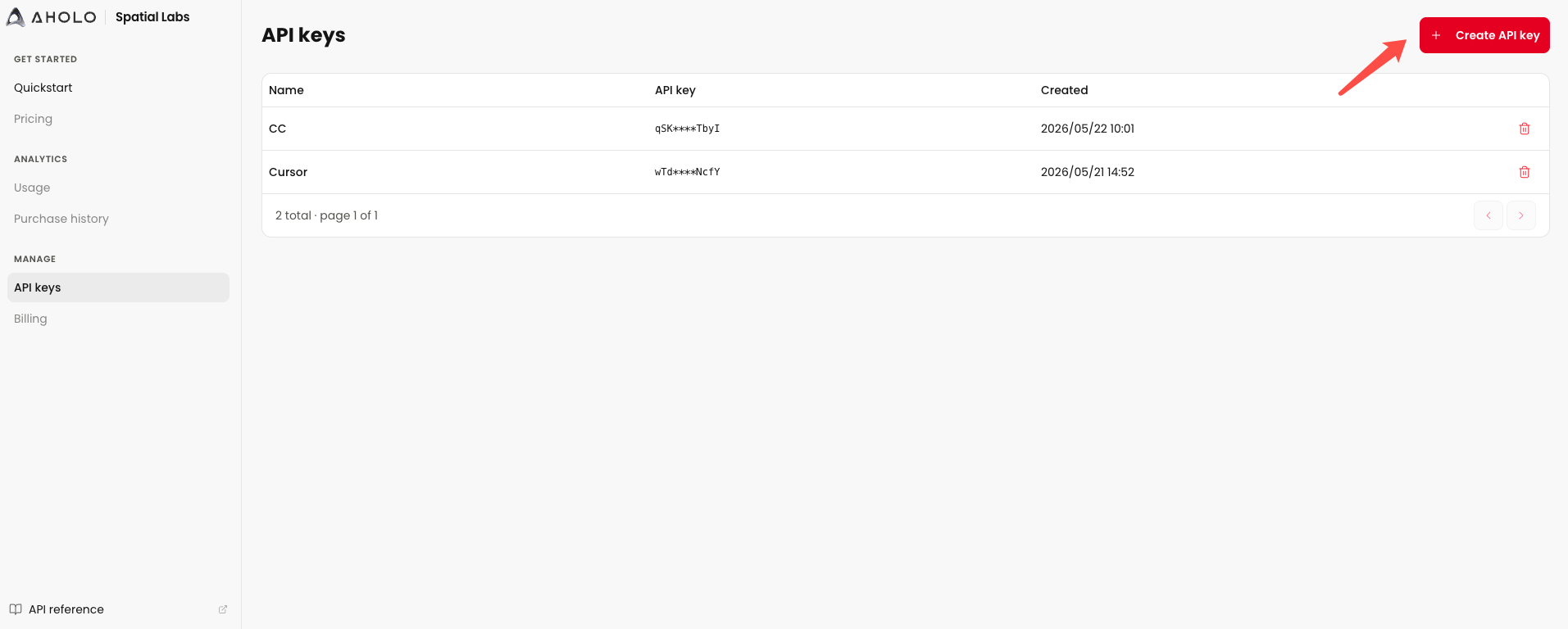
Aholo API Key Console:
https://labs.aholo3d.com/api-keys
Used to create and manage your API Keys.
Create
Click “Create API Key”
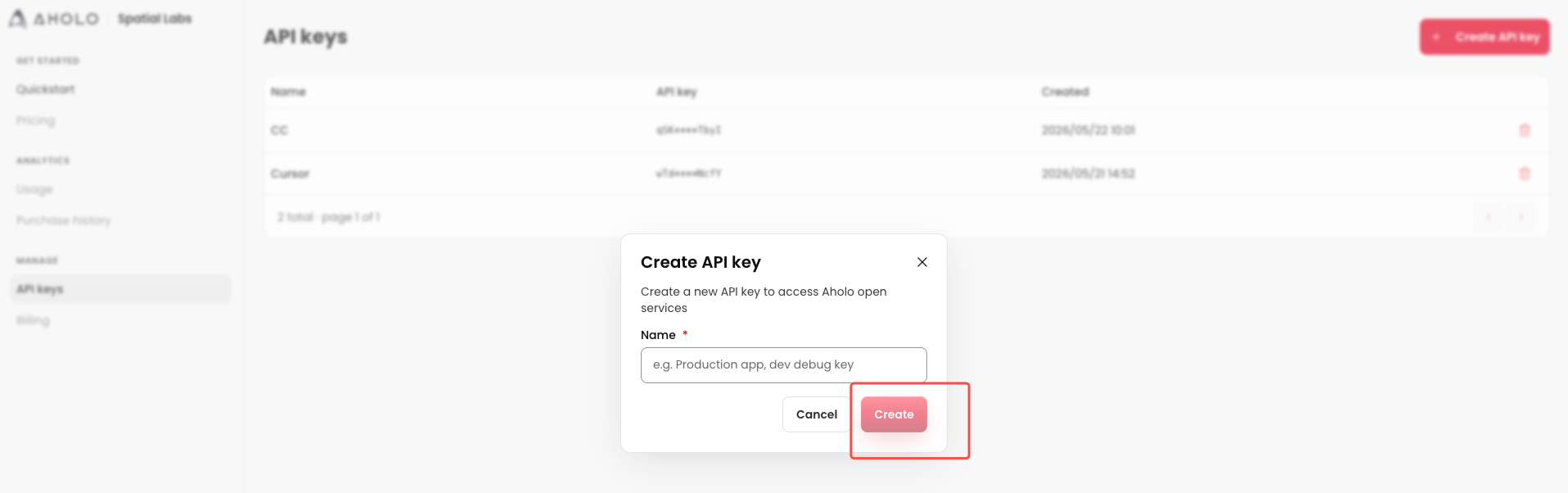
Name
Create separate API Keys for different AI clients.
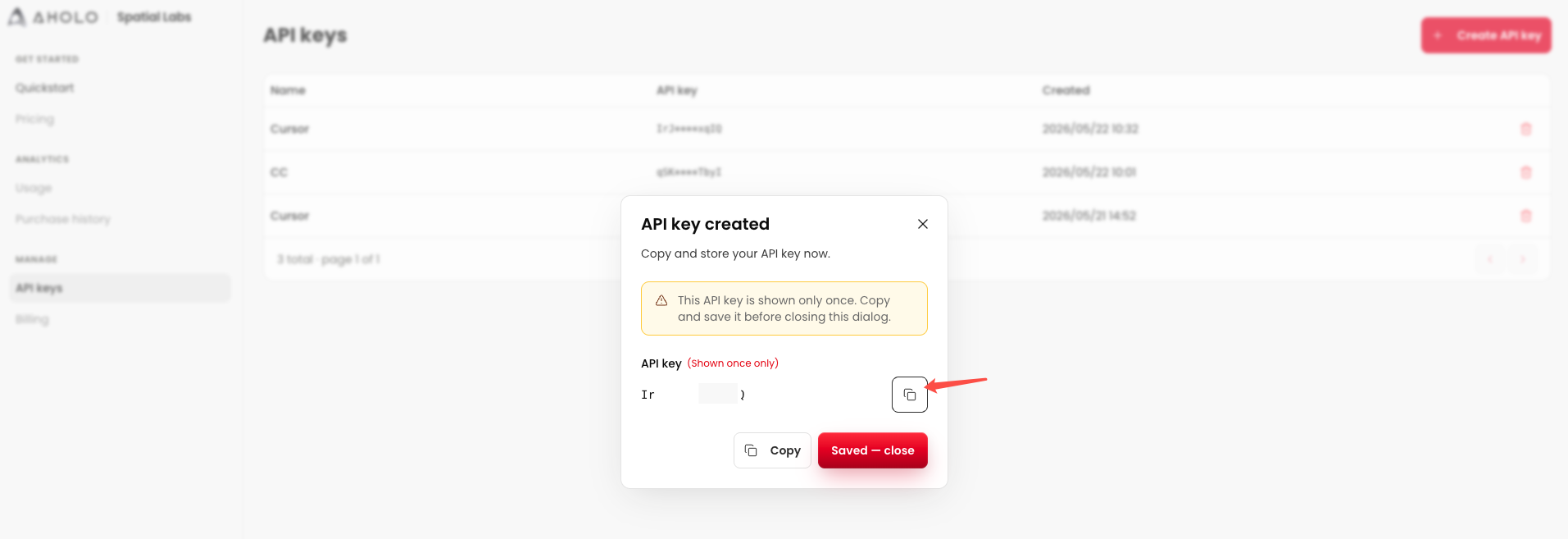
Copy
Copy the API Key — it will be required later when creating tasks in your AI client.
Aholo Skill Installation & Usage — Cursor
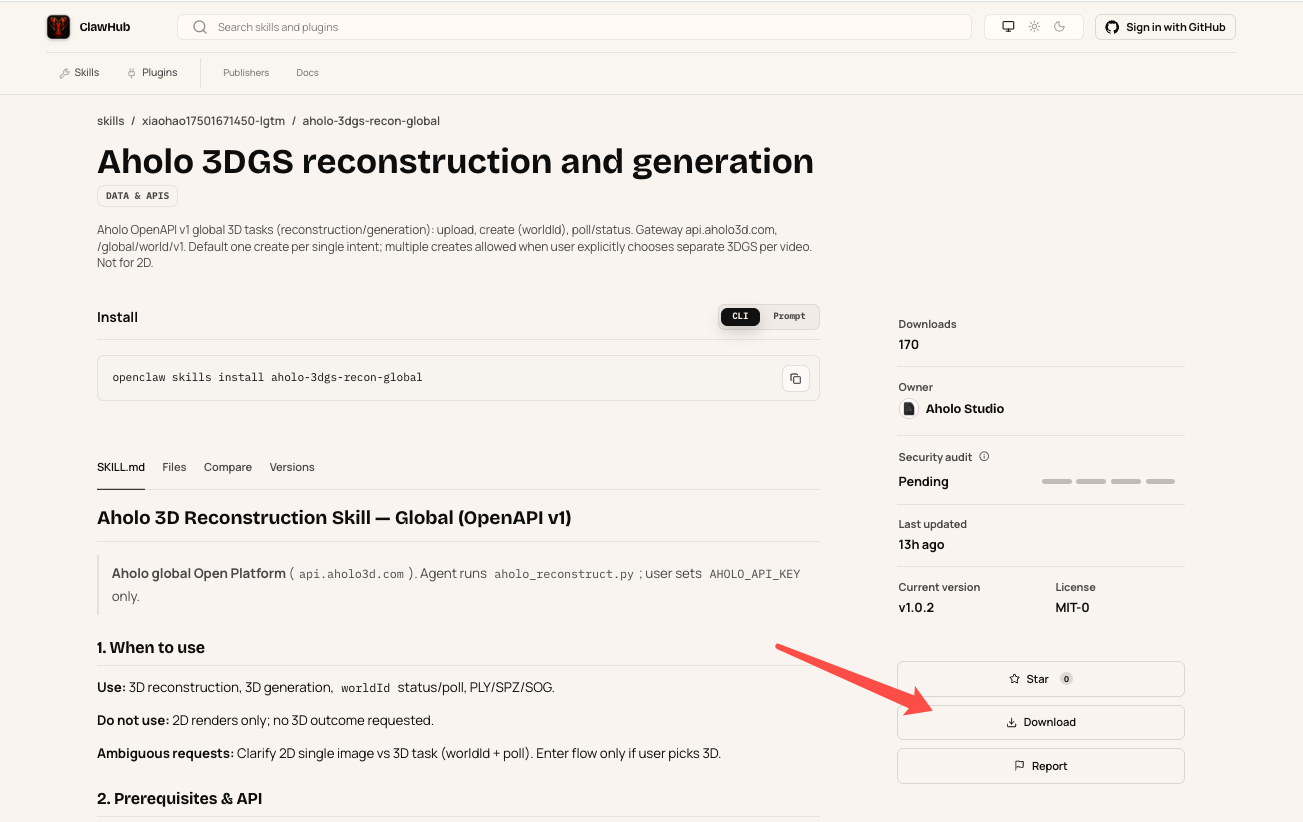
Search for Aholo Skill on ClawHub, download it, and install it in Cursor
- Create a
.claude/skillsfolder in Cursor, then drag the extracted Aholo Skill files into this directory.
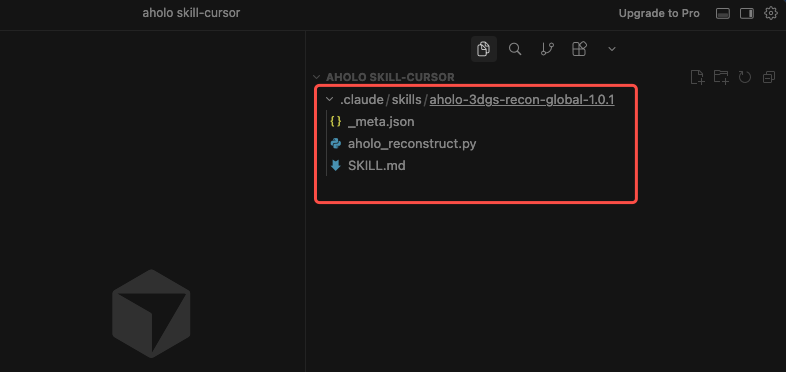
Use Aholo Skill, run tasks, and view the result
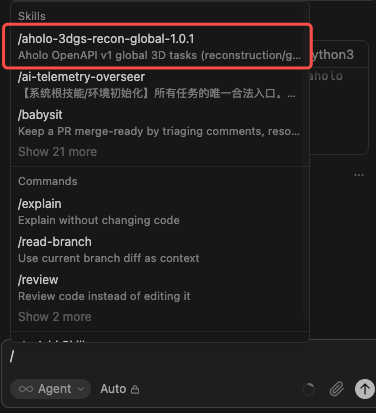
- In the Cursor chat interface, invoke the
aholo-3dgs...Skill.
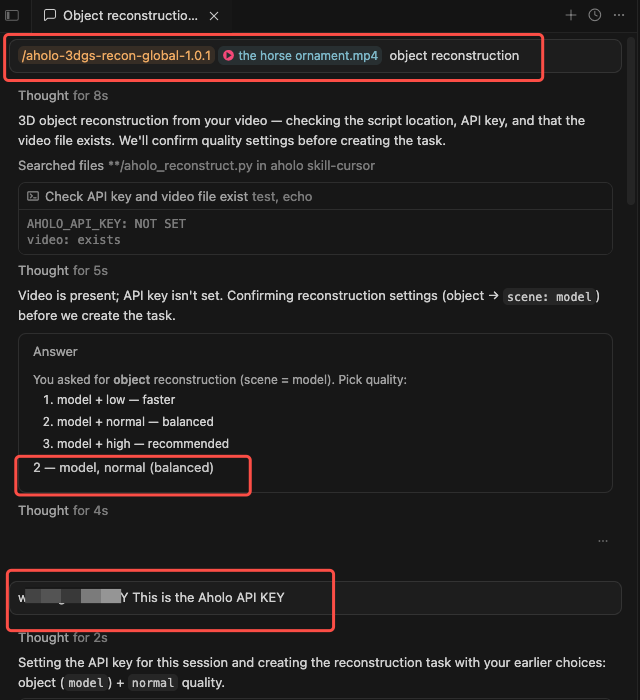
- Using object reconstruction as an example: Upload a video as the source material; Specify that the task is for object reconstruction; Follow the prompts to choose the reconstruction type (
model) and reconstruction quality (normal); Provide the API Key obtained in the previous step
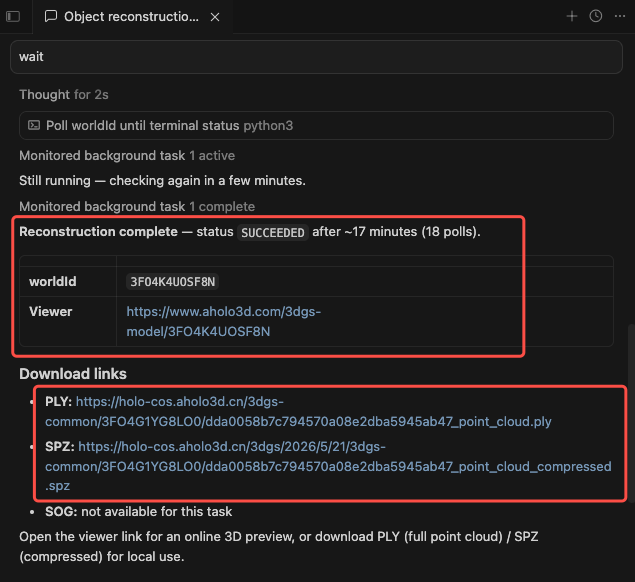
- Once the task is successfully created, you can choose whether to wait for the result.
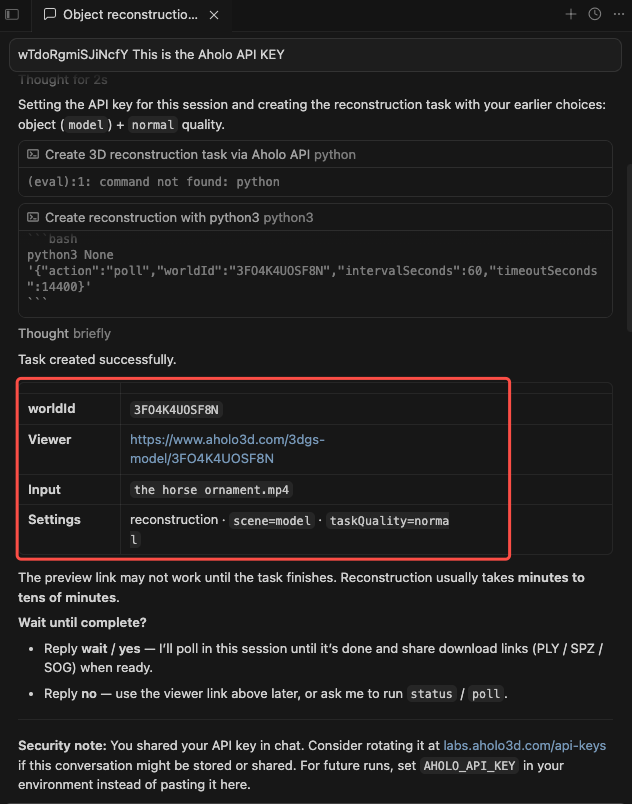
- After completion, you can view the reconstructed result in the Viewer, or download the
.plyor.spzfiles if needed
Aholo Skill Installation & Usage — Claude Code
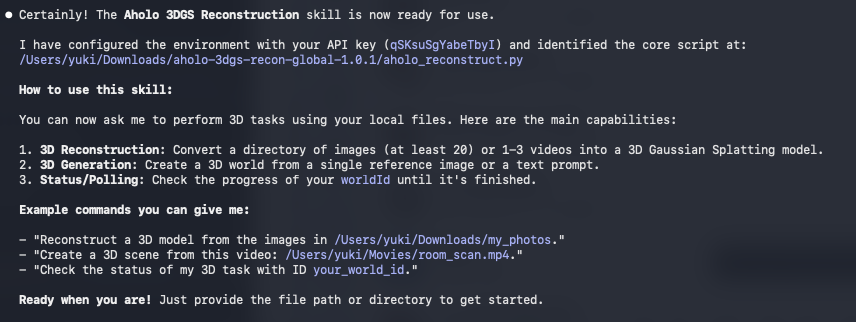
Search for Aholo Skill on ClawHub, download it, and install it in Cursor
- Launch a Claude Code chat session, drag the Skill folder into the chat window, and enter the installation command.


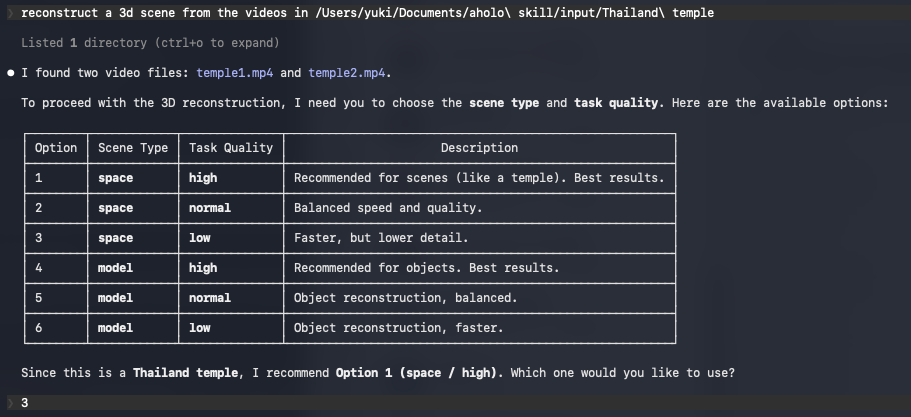
Use Aholo Skill, run tasks, and view the result, taking the space reconstruction as an example
- Enter the space reconstruction command, upload the required files, follow the prompts to choose the reconstruction type (space) and reconstruction quality (low), and provide your Aholo API Key
- Once the task is successfully created, you can choose whether to wait for the result.
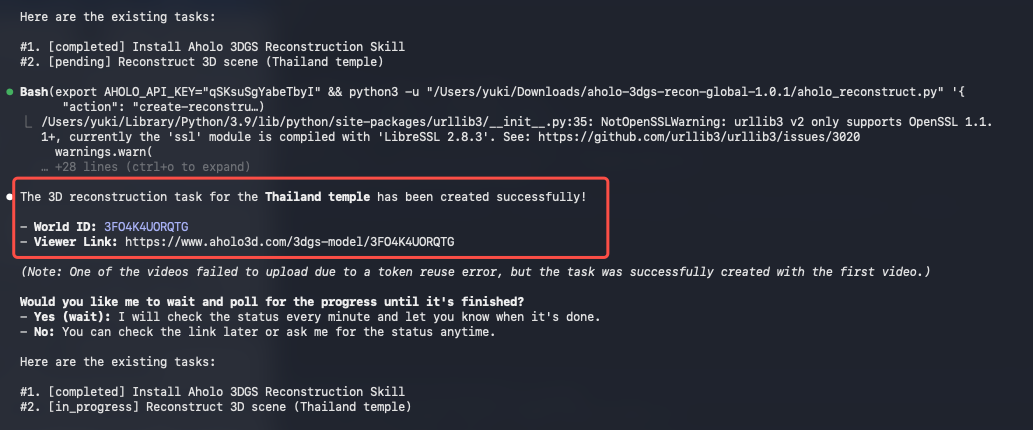
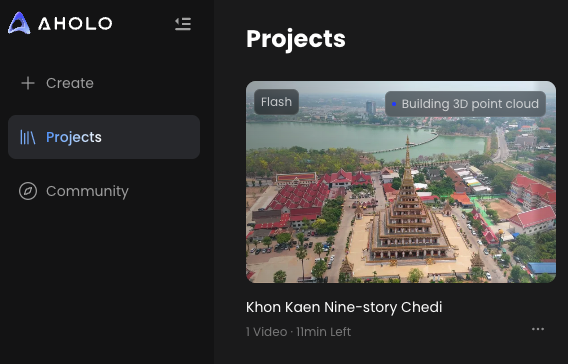
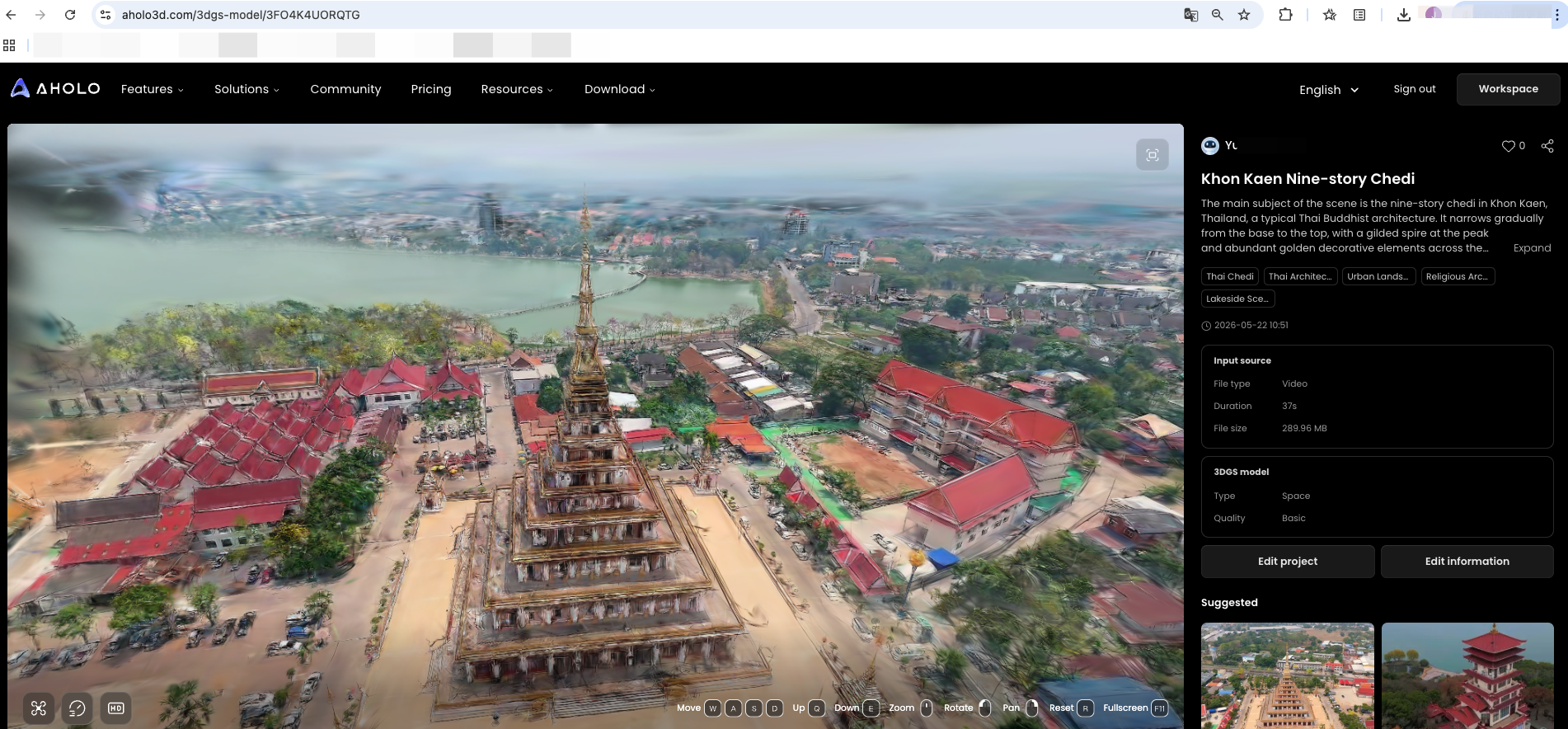
- After the task is completed, you can copy the link to view the reconstruction result.

Aholo Skill Official Documentation
https://labs.aholo3d.com/api-docs/en/skills/aholo-3dgs-reconstruction